
Send Money Home.
Get a €5 Cablenet Pay As You Go top-up every time you send money home.
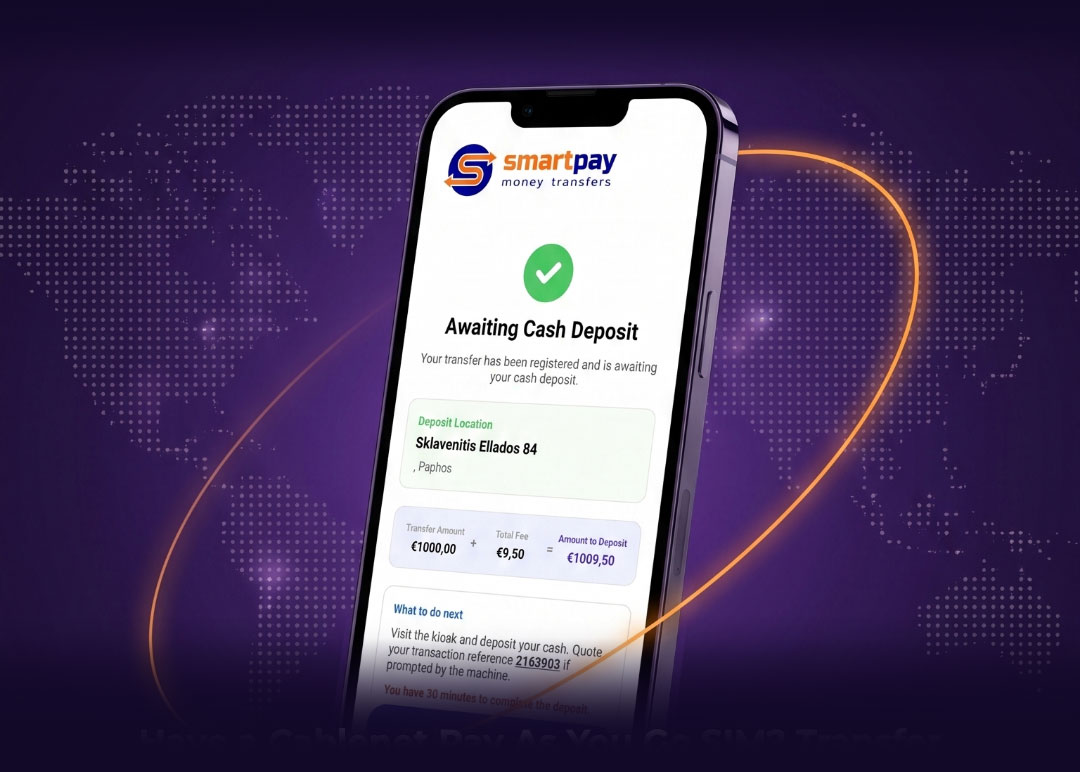
Have a Cablenet Pay As You Go SIM? Transfer funds with SmartPay and receive a complimentary €5 Cablenet top-up.


Terms apply.
Facilitated by PayMidas
3 easy steps
Sign up with your Cablenet Pay As You Go number. Have your residence permit ready.
Start your transfer in the app and pick a vending machine or kiosk near you. You get a reference number.
Go there within 30 minutes, enter the reference number and pay in cash.
Added instantly to your Cablenet Pay As You Go account. You get a confirmation SMS.
Already on SmartPay with your Cablenet number?
Start at step 2.
No Cablenet Pay As You Go SIM?
- Get one at a Cablenet store or at a kiosk on the map below.
- Register your SIM online.
Need Help?
Signing up
How do I create a SmartPay account?
- Download the SmartPay app.
- Tap Sign Up.
- Enter your Cablenet Pay As You Go number, your email and a password.
- Type in the 6-digit code we send you by SMS.
- Verify your identity with your residence permit.
- Add your name, job and address.
Why must I sign up with my Cablenet number?
Your €5 top-up goes to the phone number on your SmartPay account. If you sign up with another number, you will not get it.
The sign-up code is also sent by SMS to this number, so keep your Cablenet SIM in your phone.
How do I verify my identity?
Have your residence permit ready and allow the app to use your camera.
- Scan the front of your permit.
- Scan the back.
- Take a selfie: place your face inside the oval.
Use good light and avoid glare on the card.
How do I know my account is ready?
You get an SMS with your SmartPay ID. You can now log in with your Cablenet number and password.
Sending money
How do I send money home?
- Log in and tap New Transfer.
- Tap Add New Beneficiary, or pick someone you already added.
- Choose their country and how they receive the money: cash pick-up or bank account.
- Follow the steps, check the summary and tap Confirm.
What details do I need for the person I send to?
Their full name, mobile number and country. The app also asks the reason for the transfer and how you know them.
How do I pay for my transfer?
After you confirm, select Vending Machine and pick a location near you. The app shows your reference number and the total amount to pay, including any fee.
What do I do at the vending machine or kiosk?
Go within 30 minutes of confirming.
- Follow the steps on the screen.
- Enter your reference number if asked.
- Pay the amount shown in the app in cash.
Tip: start your transfer when you are close to a vending machine or kiosk.
When do I get my €5 top-up?
As soon as your transfer is paid. The €5 is added instantly to your Cablenet Pay As You Go account and you get a confirmation SMS.
When do I get my €5 top-up?
As soon as your transfer is paid. The €5 is added instantly to your Cablenet Pay As You Go account and you get a confirmation SMS.
What if I don't get my €5 top-up?
- In the app, check that your transfer shows Success.
- Check that the phone number on your SmartPay account is your Cablenet number.
- Still missing? Call Mobee on 70004020 or email info@mobeepayments.com.
Find a place to pay
Store Direction
Use my location to find the closest Service Provider near me